

This fascia is a round white-button control: radiator and tap keys on the left, up/down on the right, eco / ok / back along the bottom.
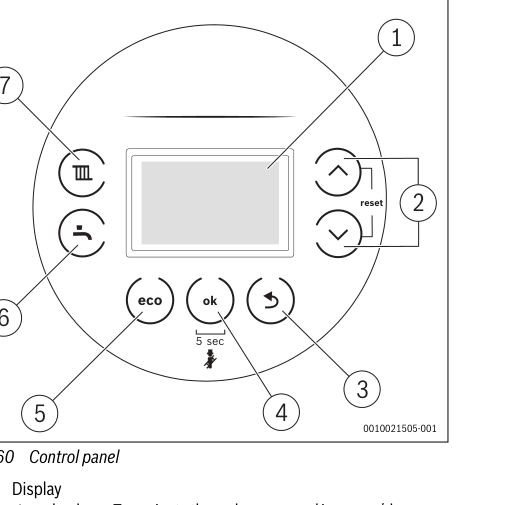
- Press the radiator key (heating). The display shows the current maximum flow temperature.
- Press the up or down keys until the display shows the flow you want, typically around 55°C if the house still warms.
- Wait two seconds. The setting saves itself — you should see a tick, then the home screen.
Look up your exact model on Boiler Manuals if the fascia does not match. Then return to the Worcester Bosch flow-temperature page or the Boiler Optimiser.