

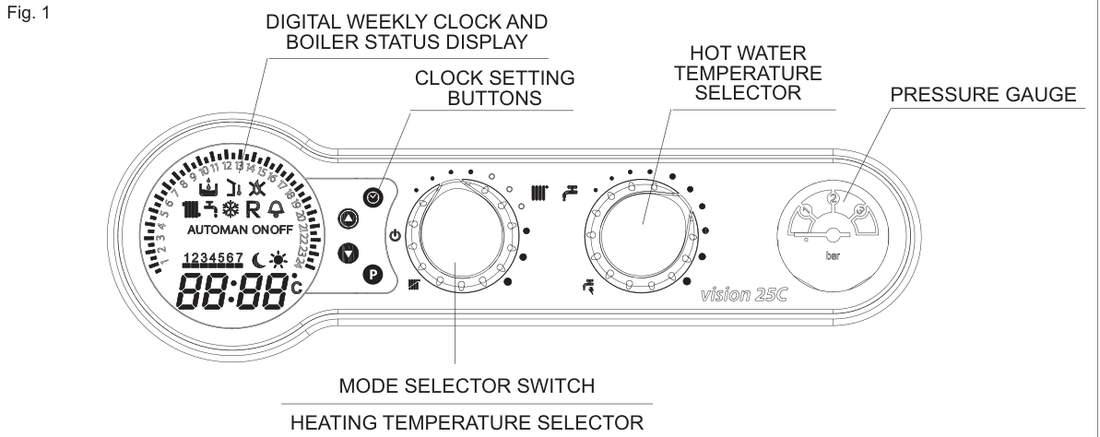
Set the heating flow
On the Vision C user instructions, standard central heating can be set from 40°C to 80°C. The display shows the temperature as you turn the selector. Typical target is about 55°C if the house still warms.
- Turn the mode selector to heating and hot water. That is the position where the boiler answers a heating request from the time clock or programmer. Hot water only leaves heating off. Off / standby shows “- -” on the display.
- Rotate the heating temperature selector clockwise to increase the heating outlet temperature, or anticlockwise to decrease it, until the display shows the flow you want.
- Leave the hot-water temperature selector if you only came to lower the heating. That knob is domestic hot water, 37°C to 60°C, not the radiator flow.
Look up your exact model on Boiler Manuals if the fascia does not match. Then return to the Vokera flow-temperature page or the Boiler Optimiser.