

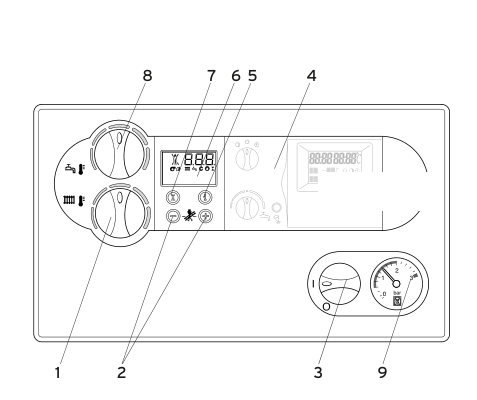
Set the heating flow
Typical target is about 55°C if the house still warms. The display shows the flow you have chosen for about five seconds, then goes back to the current flow.
- Open the front flap. Turn the I/O switch to I.
- Turn the top radiator knob. Clockwise raises the flow. Anticlockwise lowers it.
- Watch the display and stop around 55°C.
Fully left on that knob is heating off (summer mode). A combi also has a hot-water knob underneath the heating knob — leave that one. Heat-only and system ecoMAX boilers only have the heating knob.
Look up your exact model on Boiler Manuals if the fascia does not match. Then return to the Vaillant flow-temperature page or the Boiler Optimiser.