

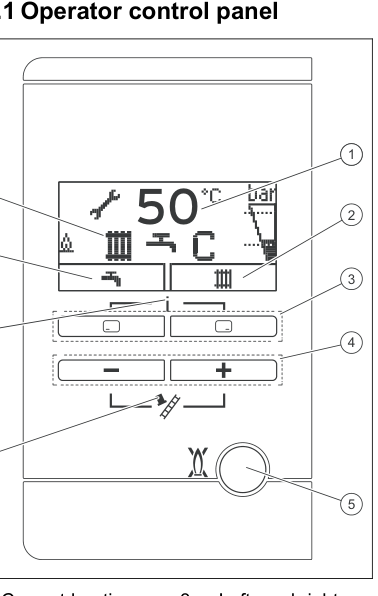
Set the heating flow
Adjustable values flash on the display. A change is saved only after you confirm it. Typical target is about 55°C if the house still warms. An installer may already have limited the maximum.
- Press the right-hand selection button. The target heating flow temperature appears on the display.
- If no room controller is wired to the boiler, press + or − until the display shows the flow you want.
- Press the right-hand selection button again to confirm. Wait until the value stops flashing.
If a controller is connected, set the highest heating flow the boiler will allow on this panel, confirm it, then set the actual temperature on the controller. The left-hand selection button is hot water, not heating flow.
Look up your exact model on Boiler Manuals if the fascia does not match. Then return to the Vaillant flow-temperature page or the Boiler Optimiser.