

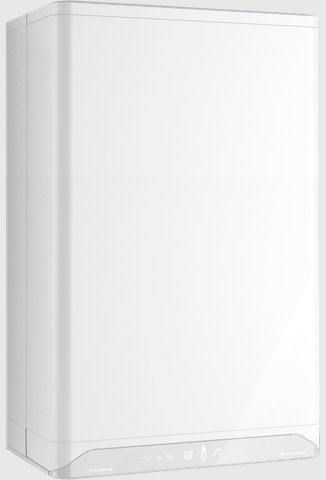
Set the heating flow
On the Xtreme operating instructions the maximum central-heating water temperature can be set from 30°C to 90°C. The factory setting is 80°C. Typical target is about 55°C if the house still warms.
- Gently tap the panel just above the power LED to open the main menu. The tap (hot water), radiator (heating) and Service symbols light up. You can do this with the boiler on or off, as long as there is mains power.
- Tap the radiator (central heating) symbol once. The set heating-water temperature shows on the left of the fascia. Plus, minus and Enter light up.
- Set the temperature with + and −.
- Tap Enter to store it, or wait 30 seconds. A P appears on the right when it is stored. The display then returns to the main menu.
One tap on the radiator symbol is the temperature. Do not hold it: on an Xclusive, holding the radiator symbol for two seconds opens the RF thermostat menu, not the flow setting. On an Xtreme, tapping the radiator symbol a second time moves you into the clock-program setting instead of the temperature.
The tap symbol is hot-water temperature, not heating flow. Leave that one if you only came to lower the heating. The Service symbol is for installer settings and needs a code — do not use it for this.
Look up your exact model on Boiler Manuals if the fascia does not match. Then return to the Intergas flow-temperature page or the Boiler Optimiser.