

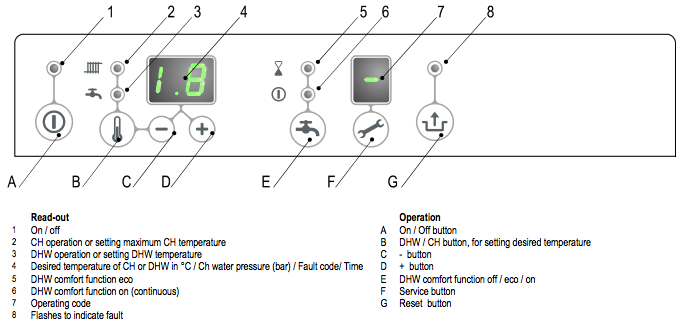
Set the heating flow
On the ECO RF operating instructions, the maximum central-heating supply temperature can be set from 30°C to 90°C. The usual setting from the factory is 80°C. An HRE display is often limited to 80°C until an installer raises that limit.
- Hold the tap and radiator button for 2 seconds. The display flashes and the radiator light comes on. That value is the maximum heating flow temperature.
- Set the temperature with + and −.
- Press Reset to store it. Doing nothing for 30 seconds also stores it. The on/off button leaves the menu without storing the change.
Press the tap and radiator button again and the tap light flashes. That is the hot-water temperature, not the heating flow. Leave that one alone if you only came to lower the heating.
Anything else on this panel is an installer’s setting. The heating output is not changed from these buttons.