

This fascia has a radiator knob on the left, a central display, a hot-water knob on the right, and four round buttons underneath marked back, reset, menu and tick. Baxi 200, 400, 600 Combi 2, 800 Combi 2 and Assure 500 share this layout.
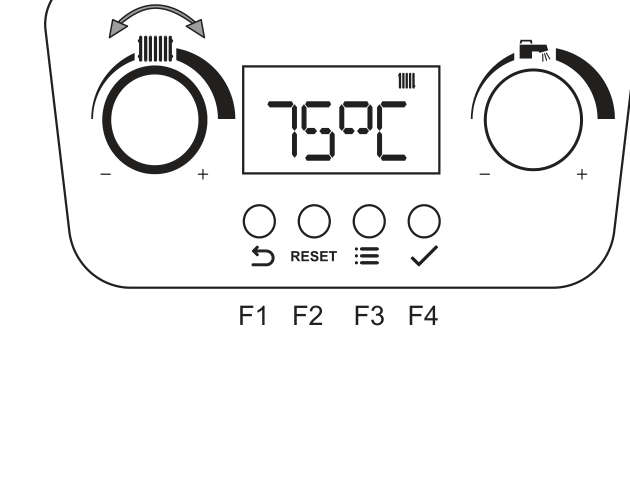
- The left knob with the radiator bars is heating flow. Leave the right tap knob if you only came to lower the heating.
- Turn the left knob towards minus until the display shows the flow you want. Typical range is about 25°C to 80°C.
- Press the tick button (F4) to store it, or wait a few seconds and it stores on its own.
- Stop around 55°C if the house still warms. Add time on the programmer if rooms take longer to come up.
Look up your exact model on Boiler Manuals if the fascia does not match. Then return to the Baxi flow-temperature page or the Boiler Optimiser.